


Welcome to
|
||
| or | ||

Document Actions


Community Blog
Tags: Editing
Up to REELEDinFinal Cut Studio 2: SmoothCam Filter

It's quite simple to use. Select the clip(s). Choose Effects > Video Filters > Video > SmoothCam.
The clips process, and viola, a little better.
However, it isn't all magic. To reduce the shaking, the clips are enlarged enough to cover up the steadied movement resulting in them being slightly blurry.
The manual offers a few tips. First, the SmoothCam should be the first filter before anything. Then you can adjust the Filter Parameters. You can decrease the Auto Scale so that it zooms out. There's also the option to control the steadiness of the shot by three independent parameters: Translation (left, right, up, down); Rotation (around the center point of the image); and Scale (forward or backward camera movement).
Scale seems to be the main culprit behind the distortion that I'm hating, but again, this can be fixed by the Auto Scale I mentioned above, or by the three parameters I was just mentioned. By reducing all three, less motion correction is applied, and less black around the clips, resulting in needing to scale less (big breath).
A few other tips offered by the manual include isolating the clips with the most movements with cuts, especially when there are noticeable changes within the frame (like before someone enters frame, and before they exit).
Seems like it takes a lot of work, but when you're just not happy with everything you shot once you're back at your computer editing, at least fixing little visual things like this will help you focus more on your story.
Distribution: Compression for YouTube
There was a post on the CrunchGear blog that Alex found that I find particularly helpful, and I'm sure the vast majority of you will too!
There are specific How-To instructions on compressing your video to get the most out of posting on YouTube.
Check it out!
Looking for help on HVX-200 24p -> Adobe Premiere Pro 2.0 workflow

I've got a short film that I shot on an HVX-200 that I'd like to edit in Adobe Premiere Pro 2.0. Premiere Pro 2.0 supports 720p HD editing, but it doesn't natively ingest the MXF format that the HVX-200 captures.
I could try and edit the project in Final Cut Pro, but I'm much more comfortable with Premiere and I'm wondering if there's a relatively easy way to throw the footage on an FCP timeline and then export it to a suitable format that Premiere can import.Any suggestions welcome. Thanks!
Best,
Wes
RNDLive: the innis mode, finally realized
So here's the project: to create a matrix of windows that contain live video from around the planet (or even off-planet). The video will be environmental, observational, low key, discreet. Each window will be synchronized (by extracting IRIG or SMPTE timecode from GPS) with the others. The aggregate effect will be an illustration of concurrent natural processes, from which the viewers may (or may not!) infer something about interconnectedness.
$400 for Movie Trailer Spoofs

We’re a fun site whose sole mission is to help nurture upcoming comedy and film talent, while helping everyone else procrastinate. Check us out!
Studio 8 Entertainment: "Problem With Horsey" Production Notes
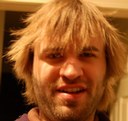
Brock here from Studio 8. We've gotten several requests to talk about how and (perhaps why) we produced the "Problem With Horsey/Here to Help" promo for The Daily Reel. So let's jump into that, shall we?
THE WHY:
A few weeks ago, TDR asked Studio 8 if we'd like to shoot a commercial for their ReeledIn web community. Within two days, we had a fresh idea and got a script green-lighted. It's a pretty weird little concept, and at first, it was more of a literal commercial. For instance, instead of me saying, "You better use an internet to fix it," I was originally supposed to say something like, "Log onto TheDailyReel.com and ask someone in the ReeledIn community about it." They didn't want it to be so straight-forward.
So the end product (we hope) feels less like a commercial and more like a quirky, short video that happens to have a logo for The Daily Reel tacked on the end of it. But because it's about making a video and people helping each other, it's still fairly related to ReeledIn's community and what-not. Right?
THE HOW:
Shooting
All the horse stuff was, of course, shot in front of a blue screen. I know that green screens are what's hot right now, but a couple of years ago, we worked on a movie and some birds poopoo-ed on this huge blue screen and one of the grips gave it to us and now that we've got a decent camera, we're able to finally make good use of it. So Rory and I got gussied up in our best cowboy duds and pretended to stiffly ride horses for about 10 minutes. We were careful not to move our legs too much, since we knew we'd have to wedge the horses in between them and the less movement, the easier the editing would be.
The computer room stuff was pretty easy. We had to fake the bedroom door as the house's front door, which was easily done by using our much smaller green screen to cover up the outer room and make it look like Vlad was standing on our front porch.
Editing
In the scenes where you look over Java's shoulder at the computer screen, our second monitor was doing the flashy scrolling thing, so we had to get real creative there. We used that angle twice, so in the first one, if you go back and watch it, you'll notice that Java's upper torso and head don't move AT ALL. That's because to get rid of the screen flicker, I just used a freeze frame of the upper left half of the shot and superimposed that over the video. So Java's hands move, but his top half doesn't. Bet you didn't notice that the first time, huh? In the second shot, Java's upper half moves too much, so I had to create a 8-Point Garbage Matte and cut out the flickering screen with keyframes and all of that mess. Yucky!
Oh yeah, we use Final Cut Pro to edit most of our stuff.
When we wanted to show the footage on the monitor, we edited those chunks and had to output them as videos with all the effects finalized so then we could just shrink it all down to fit on the monitor. Does that make sense?
For the horse scenes, we used an 8-Point Garbage Matte to cut out our back legs and feet and then stuck pictures of the horses under our front legs, so it looks like we're actually riding them. When my horse fizzles out, I just used a few Video Filters like Bad TV with keyframes and added sound effects to make it seem like it was "malfunctioning".
There are lots of editing tricks in this video, lots of implied stuff like the gunshots, horses clomping, and ducks quacking.
Overall, it was a very fun shoot that only took a couple of hours and an educational edit job that took a day and a half or so.
We'd like to thank The Daily Reel for trusting in our nutty ideas and letting us produce the video. It's honestly one of my favorite things we've done thus far and I hope it gets this site some good exposure. Thanks for reading and feel free to contact me with any further questions/comments.
Peace,
Brock LaBorde
1st Annual Vine Shorts Fest - Call for Entries!

The Vine Entertainment, a subsidiary of The Vine Studio, a full-service production company in Santa Monica, CA calls for entries to our First Annual VIne Shorts Fest! Accepting short films and short screenplays from around the world, in all genres. Films from any year of production are eligible, and must be under 30 minutes in length; Screenplays must be in English, formatted to industry standards, and be no more than 30 pages in length.
Films selected for the festival will be screened on the world famous 3rd Street Promenade in Santa Monica, CA at The Vine Street Playhouse: Sunday, October 28th through Sunday, November 11th, 2007.
Categories in competition:
1. Best of Festival (Fruit of the Vine Award)
a-Best Film - winner receives a production deal with The Vine Entertainment to shoot a feature film.
b-Best Short Screenplay - winner receives a production deal with The Vine Entertainment to produce a short of the winning script.
2. Best of Genre - winning films will be distrivuted worldwide via The Vine Studio and The Vine Entertainment.
Deadlines and Entry Fees:
Regular Entry: postmarked by September 21st, 2007
-$50/Short Film, $40/Short Screenplay
Late Entry: postmarked by October 5th, 2007
-$60/Short Film
-$50/Short Screenplay
Specific requirements
- Short films must be submitted on DVD or VHS tape (NTSC), and be clearly labeled with the title, filmmaker, and contact information.
- Only films selected for the festival will be screened. There will be no refund for films not chosen, as talent and quality are subjective.
Contact details
www.thevineent.com for more info and an application
You can submit electronically on www.withoutabox.com
Funny Movie Internet: Cube

Chroma Key: Getting Started
The first step is finding the right green screen.
Who knows where to find this?
Chroma Key: So this may be the dumbest chromakey question ever ...

Can you use chromakey with video you shot with a webam? (Presuming you shot in front of some kind of greenscreen, of course.)
I am incredibly new to even shooting and editing, let alone chromakey. Actually, technically I have more chromakey experience than I do film experience, given that I was once a performer in a chromakey show in a theme park. But still.
I'm gearing up to do a sort of pop culture/entertainment commentary vlog. And I think it would be much nicer to have the background of my choice than it would to feature my hideously messy apartment. So I was wondering if I could get all fancy with the chromakey. But from what I've gleaned from the few chromakey posts I've skimmed here, resolution may be a stumbling block.
Do not be afraid of offending me by pointing out any assumptions I've made in this post that are idiotic. I'm very good at many things, and so am at peace about being a moron at a few things.
Any thoughts? Much thanks.